Who Issues the Parivar Pehchan Patra in Haryana?
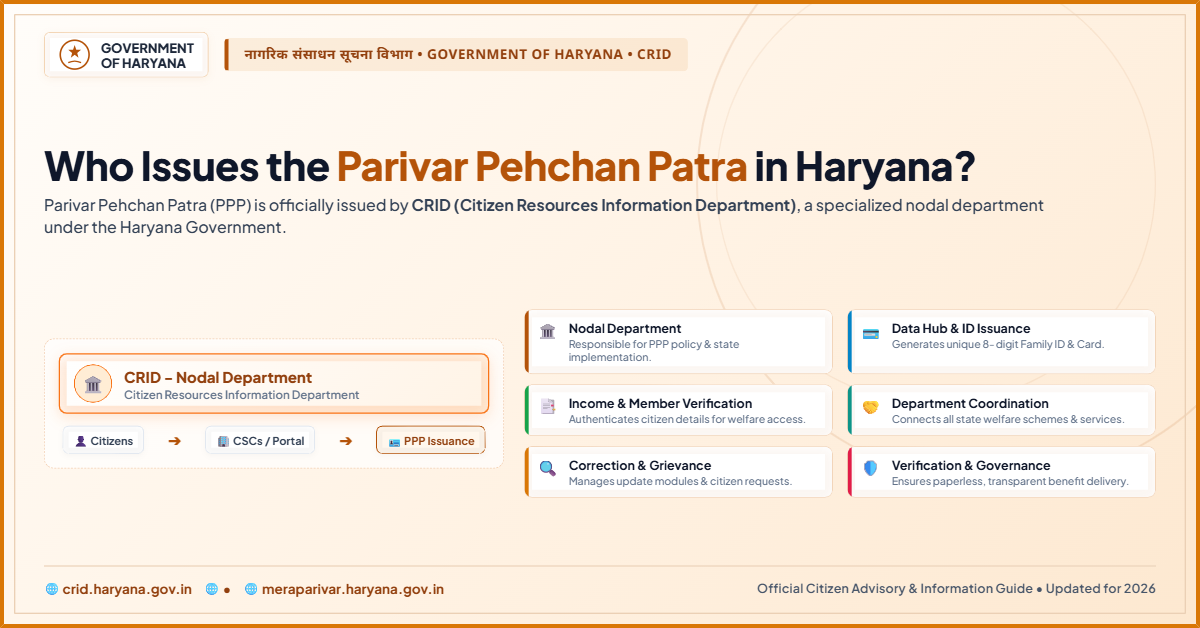
Confused by Haryana welfare forms? The PPP Haryana Family ID replaces chaos with one verified number. The Citizen Resource Information Department (CRID) issues and manages the Parivar Pehchan Patra under the Haryana government. It links households to pensions, subsidies, and state schemes.
Quick Answer : The Parivar Pehchan Patra (PPP) in Haryana is issued by the Citizen Resource Information Department (CRID) under the Haryana government. CRID assigns an 8-digit permanent Family ID to residents and a 9-digit temporary ID to non-residents for accessing state welfare schemes.
Which Department Issues the Parivar Pehchan Patra?
The Citizen Resource Information Department (CRID) is the official issuing authority. The Haryana government constituted CRID on April 26, 2020, specifically to implement the Parivar Pehchan Patra. CRID operates as an independent department under the Business of the Haryana Government (Allocation) Rules, 1974.
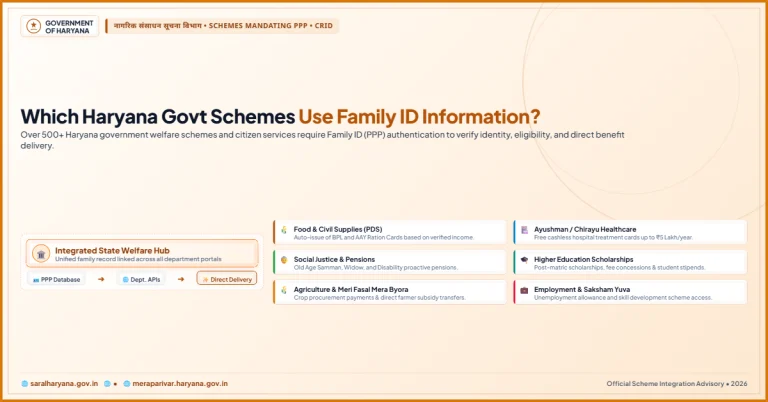
CRID handles the entire lifecycle of the Family ID, from initial digital registration to field verification and final card issuance. The department also integrates PPP data with over 400 government services and schemes, including old-age pensions, caste certificates, and Ayushman Bharat medical insurance.
What Is the Role of the Haryana Parivar Pehchan Authority?
The Haryana Parivar Pehchan Authority (HPPA) provides the legal and policy framework for the PPP system. HPPA draws its power from the Haryana Parivar Pehchan Act, 2021. While CRID manages day-to-day operations, HPPA develops the policy, procedure, technology, and systems for generating and issuing the Parivar Pehchan number.
Think of it this way: HPPA sets the rules, and CRID runs the system.
How Is the PPP Administration Structured Across Haryana?
The PPP system operates at three administrative levels:
- State Level: CRID manages the central database and sets verification guidelines. HPPA oversees policy and legal compliance.
- District Level: The Additional Deputy Commissioner (ADC) serves as the District Citizen Resources Information Officer (DCRIO), monitoring verification tasks across the district.
- Sub-Division Level: All Sub-Divisional Officers (Civil) act as ex-officio Sub-Divisional Citizen Resources Information Officers (SDCRIO) for PPP activities in their areas.
This structure ensures that every application reaches a local verification committee for ground checks on income, address, and family details.
What Types of Family IDs Does CRID Issue?
CRID issues two distinct types of Family IDs based on residency status:
| ID Type | Target Group | Number Format | Key Purpose |
| Permanent Family ID | Permanent residents of Haryana | 8-digit unique code | Accessing state welfare, pensions, subsidies, and schemes |
| Temporary Family ID | Non-residents applying for specific services | 9-digit code starting with ‘T’ | Availing specific government services or tenders |
The 8-digit permanent ID serves as the primary identifier for Haryana households. As of 2024, over 76 lakh families are registered under the PPP, with more than 73 lakh verified through an extensive cross-checking process. The system has validated birth dates, caste, income, and marital status for approximately 2.85 crore people.
How to Apply for a PPP Haryana Family ID
If your household does not yet have an active Family ID, follow these steps to register through official government channels.
Step 1: Visit the Official Portal
Open the Mera Parivar portal at meraparivar.haryana.gov.in. This is the primary website for PPP registration and status checks.
Step 2: Authenticate Using Aadhaar
Select the registration option and enter the Aadhaar number of the family head. Complete the OTP verification sent to the linked mobile number.
Step 3: Enter Family Details
Input the required details for all family members, including names, relationships, employment details, and income levels.
Step 4: Upload Required Documents
Attach clear scans of supporting documents such as identity proof, address proof, and bank details.
Step 5: Submit for Verification
Review the entered information carefully and submit the form. The application goes to local committees for field verification.
Step 6: Download the Final PPP Card
Once approved by the ADC office, log in using your registered mobile number to download and print the verified Family ID card.
What Documents Are Required for PPP Registration?
Applicants must keep the following documents ready before initiating the process:
- Aadhaar Card: Mandatory for all family members.
- Proof of Identity: Voter ID, Passport, or PAN Card.
- Proof of Address: Ration card, electricity bill, or voter ID showing a Haryana address.
- Income Verification Proof: Salary slips, ITR filings, or self-declarations.
- Active Mobile Number: Linked to the Aadhaar of the family head for OTP verification.
Conclusion
The Citizen Resource Information Department (CRID) is the official authority issuing and maintaining the PPP Haryana Family ID. By digitizing family records, CRID ensures residents can access state schemes efficiently without repeatedly submitting paper documents. The Haryana Parivar Pehchan Authority (HPPA) provides the legal framework under the Haryana Parivar Pehchan Act, 2021. Applying through official government portals or local Saral Kendras helps keep your family data verified and up to date.
Frequently Asked Questions
1. Which department manages the PPP in Haryana?
The Citizen Resource Information Department (CRID) manages and issues the Parivar Pehchan Patra.
2. Is PPP mandatory for Haryana residents?
Yes, a valid Family ID is required to access state government schemes, pensions, and welfare subsidies.
3. Can non-residents get a Family ID?
Yes, non-residents can receive a temporary 9-digit Family ID starting with the letter ‘T’ for specific official services.
4. How much does it cost to issue a Family ID?
Government registration for the Parivar Pehchan Patra on official portals is free of cost.
5. Where can I fix errors in my PPP profile?
You can update details online via the official portal or visit a local Common Service Centre (CSC) or Antyodaya Saral Kendra.
6. How do I check the status of my application?
Log in to meraparivar.haryana.gov.in with your mobile number or application ID to check your approval status.